This is 8 of 8 part of struts 2 tutorial.
Tutorial Content:
- Introduction to struts 2
- configuring struts 2 in eclipse
- Struts 2 hello world example
- Login page with validation in struts 2
- Struts 2 interceptors with example
- File upload in struts 2
- Struts 2 ajax example
- Struts 2 spring 3 integration example
In this post,you will see how to integrate Spring 3 and Struts 2. Now first question comes here ,why you want to integrate spring with struts 2? Spring provides some features which are not available in struts 2.Most powerful among them is dependency injection.To learn more about dependency injection,you can refer dependency injection in spring link.
Create project named “Struts2Spring3IntegrationExample”.
First of all, you need to copy following files to WEB-INF/lib and add them to project’s build path. You can download and install latest version of Spring Framework from http://www.springsource.org/download
- org.springframework.asm-3.1.1.RELEASE
- org.springframework.beans-3.1.1.RELEASE
- org.springframework.context-3.1.1.RELEASE
- org.springframework.core-3.1.1.RELEASE
- org.springframework.expression-3.1.1.RELEASE
- org.springframework.web-3.1.1.RELEASE
- org.springframework.web.servlet-3.1.1.RELEASE
Finally copy struts2-spring-plugin-2.3.1.2 to WEB-INF/lib from your downloaded struts2 jars.
For configuring all above jars and struts 2 jars in your eclipse ide please refer configuring struts 2 link.
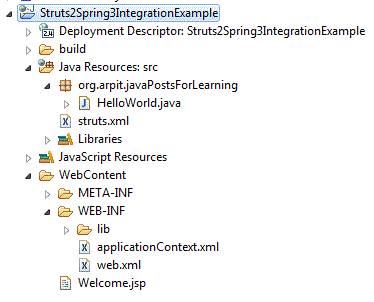
Project structure:
Web.xml:
Copy following content in web.xml.
 Struts2Spring3IntegrationExample

 struts2
 org.apache.struts2.dispatcher.ng.filter.StrutsPrepareAndExecuteFilter


 org.springframework.web.context.ContextLoaderListener


 struts2
 /*


 default.jsp
Here you can note that we have configured listener.
org.springframework.web.context.ContextLoaderListner is required to load spring configuration file.By default the applicationContext.xml file will be used for doing the Spring bean configuration and it must be same level as web.xml.
Action class:
Create action class named HelloWorld.java under package org.arpit.javaPostsForLearning in src folder.
package org.arpit.javaPostsForLearning;
import com.opensymphony.xwork2.ActionSupport;
public class HelloWorld extends ActionSupport{
    String message;
    public String getMessage() {
  return message;
 }

    public void setMessage(String message) {
  this.message = message;
 }
    public String execute()
    {
   return SUCCESS;
    }
}
Now we will configure above action file in applicationContext.xml.
applicationContext.xml
Create applicationContext.xml in WebContent->WEB_INF. Copy following content to applicationContext.xml.
JSPs:
We will create one jsp named “Welcome.jsp” under WebContent folder. Copy following code into Welcome.jsp
<%@ page language="java" contentType="text/html; charset=ISO-8859-1" pageEncoding="ISO-8859-1"%> <%@taglib uri="/struts-tags" prefix="s"%>Struts 2 Tutorial
struts.xml:
Create struts.xml in src folder. Copy following content in struts.xml
Welcome.jsp
Now you can note here that In tag,we have set class attribute same as id of bean configured in applicationContext.xml.
Run Application:
Right click on project->run as->run on server.
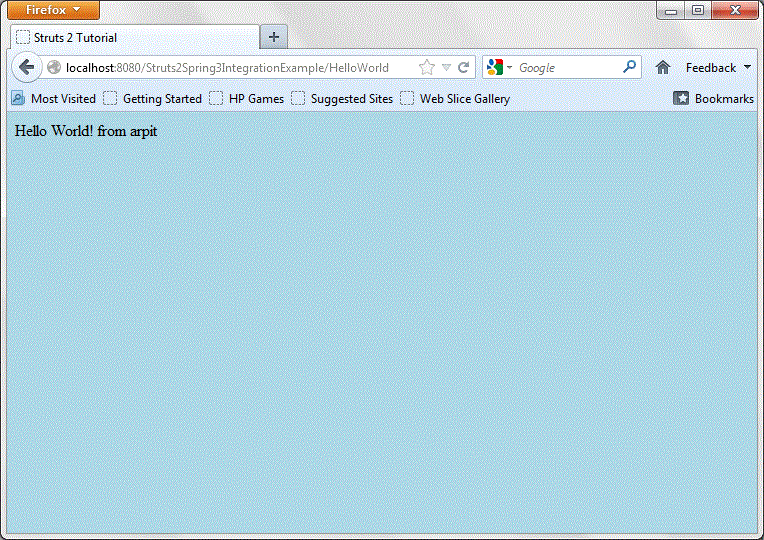
copy http://localhost:8080/Struts2Spring3IntegrationExample/HelloWorld link to browser and press enter.