
In this tutorial,we will see how we can develop JAX-WS endpoint and client step by step.
Web service Tutorial Content:
- Introduction to web services
- Web services interview questions
- SOAP web service introduction
- RESTful web service introduction
- Difference between SOAP and REST web services
- SOAP web service example in java using eclipse
- JAX-WS web service eclipse tutorial
- JAX-WS web service deployment on tomcat
- Create RESTful web service in java(JAX-RS) using jersey
- RESTful web service
- JAJSONexample using jersey
- RESTful web service
- JAXRS CRUD example using jersey
- AngularJS RESTful web service
- JAXRS CRUD example using $http
- RESTful Web Services (JAX-RS) @QueryParam Example
- Spring Rest simple example
- Spring Rest json example
- Spring Rest xml example
- Spring Rest CRUD example
Prerequisites
- JDK 1.6
- Eclipse IDE
Steps for creating JAX-WS webservice endpoint.
1) Open Eclipse IDE
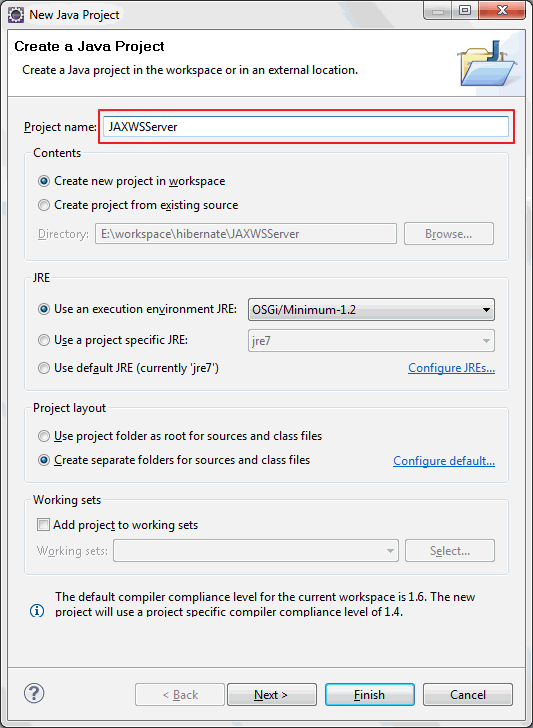
2) Create java project named “JAXWSServer”
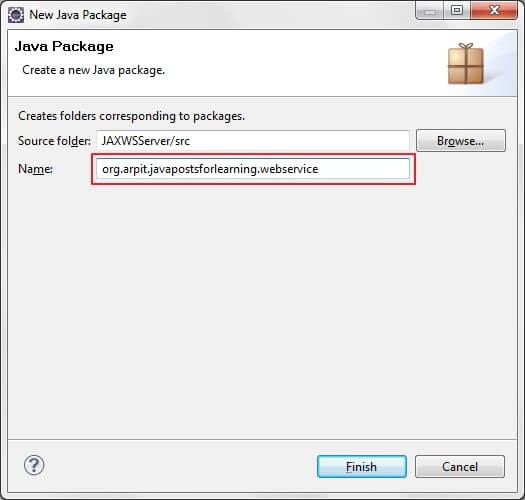
3)Create new package named “org.arpit.javapostsforlearning.webservice”
4)Create JAXWSService Endpoint Interface.
HelloWorld.java
package org.arpit.javapostsforlearning.webservice;
import javax.jws.WebMethod;
import javax.jws.WebService;

@WebService
public interface HelloWorld {

 @WebMethod public String helloWorld(String name);
}
5)Create JAXWSService Endpoint implementation class.
HelloWorldImpl.java
package org.arpit.javapostsforlearning.webservice;
import javax.jws.WebService;

@WebService(endpointInterface="org.arpit.javapostsforlearning.webservice.HelloWorld")
public class HelloWorldImpl implements HelloWorld{

 public String helloWorld(String name) {
  return "Hello world from "+name;
 }

}
6) Create Endpoint publisher.
HelloWorldWSPublisher.java
package org.arpit.javapostsforlearning.webservice;
import javax.xml.ws.Endpoint;

public class HelloWorldWSPublisher {
 public static void main(String[] args) {
  Endpoint.publish("http://localhost:8080/WS/HelloWorld",new HelloWorldImpl());
 }
}
Run above program.Your webservice is published.You can check your service wsdl at http://localhost:8080/WS/HelloWorld?wsdl
Steps for creating JAXWS Client
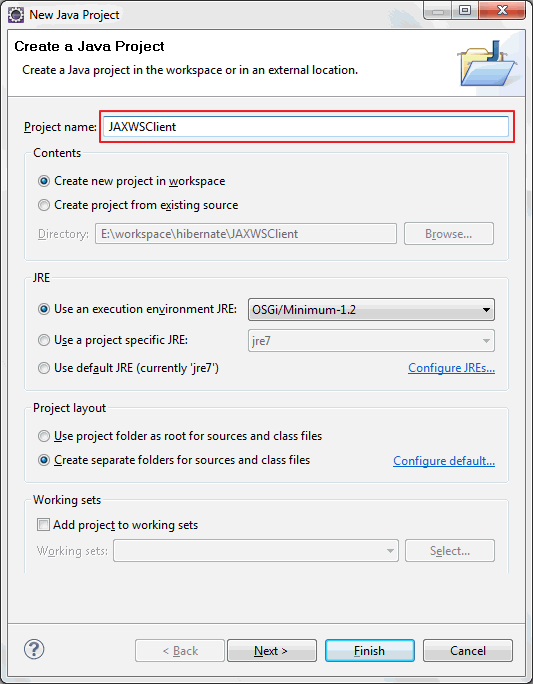
1)Open eclipse and create a new java project JAXWSClient.
3) Now we need to generate the client stubs.So open your command line, and enter the wsimport command:
cd %project_home%/src
wsimport -s . http://localhost:8080/WS/HelloWorld?wsdl
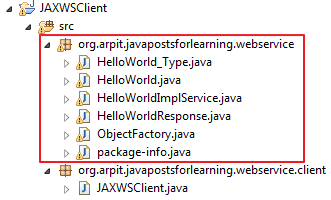
you will find java classes generated and compiled under src->org->arpit->javapostsforlearning->webservice
4) Lets create client class now.
create JAXWSClient.java under src->org.arpit.javapostsforlearning.webservice.client
package org.arpit.javapostsforlearning.webservice.client;
import org.arpit.javapostsforlearning.webservice.HelloWorld;
import org.arpit.javapostsforlearning.webservice.HelloWorldImplService;

public class JAXWSClient {

    /**
     * @author Arpit Mandliya
     */
    public static void main(String[] args) {

        HelloWorldImplService helloWorldService = new HelloWorldImplService();
        HelloWorld helloWorld = helloWorldService.getHelloWorldImplPort();
        System.out.println(helloWorld.helloWorld("Arpit"));
    }
}
5) Run above program and you will get following output.
Hello world from Arpit
Congratulation, you have successfully created web service endpoint and client.Now in next post, we will deploy it on Tomcat.
